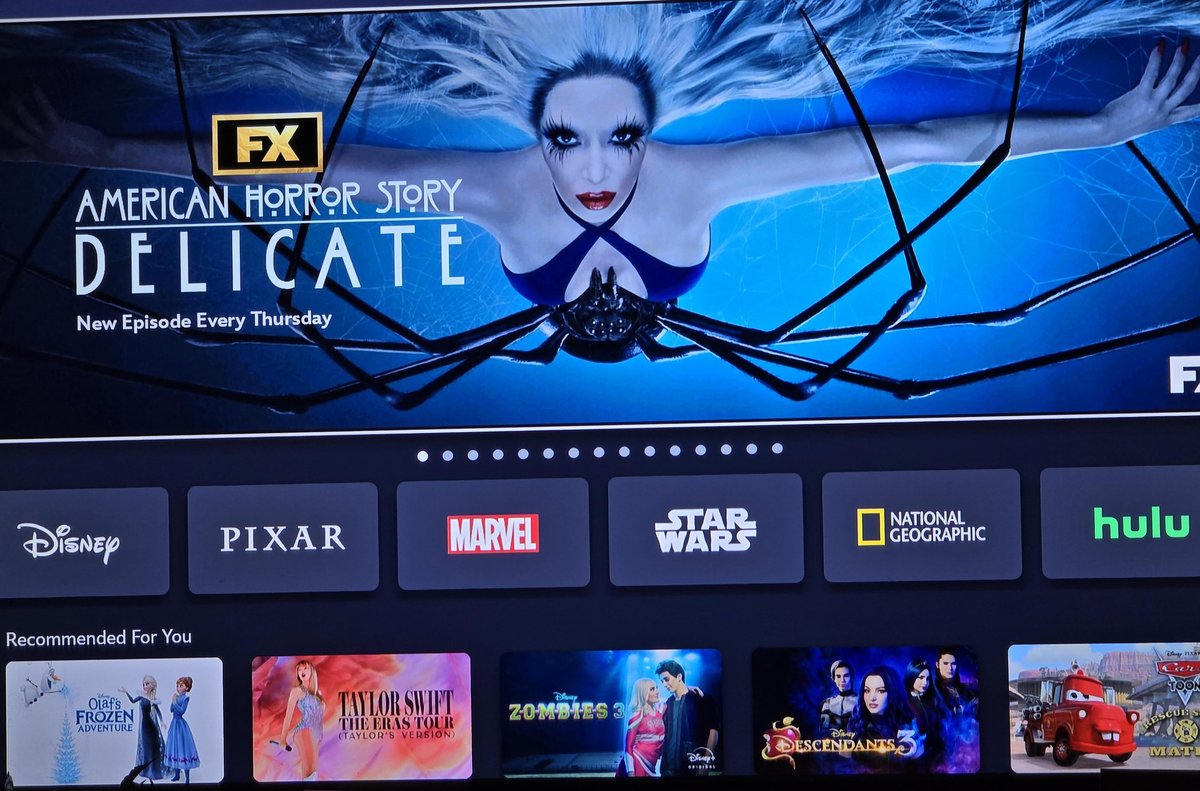
The streaming universe is always in flux, and lately, it's seen a seismic shift that has many viewers reconsidering their go-to platforms. With the much-talked-about integration of Hulu content directly into Disney+, the landscape for what once felt like a stable duo has fundamentally changed. If you're a long-time Hulu subscriber or someone who just enjoyed the Disney Bundle, you're likely wondering: What are the best alternatives to Hulu and Disney+ after the integration?
This isn't just about finding another place to stream; it's about curating a personalized entertainment lineup that truly serves your interests, budget, and viewing habits. Forget generic recommendations – we're diving deep into the options, helping you build a smarter, more satisfying streaming strategy for the future.
At a Glance: Your Quick Guide to Life After Hulu's Standalone Service
- Hulu's New Home: Hulu content is moving into Disney+, accessible via a dedicated hub within the Disney+ app.
- The Clock is Ticking: While a full shutdown date for all standalone Hulu apps isn't confirmed by Disney, Nintendo Switch users will lose access on February 5, 2026, a strong indicator of the direction.
- Why Look Elsewhere? You might seek alternatives for content variety, cost savings, ad-free experiences, or a desire to support different platforms.
- Diverse Options Await: From general entertainment giants like Netflix and Max to live TV replacements like YouTube TV, and even free ad-supported services, there's a world beyond Disney's ecosystem.
- Smart Strategy: Consider rotating subscriptions, leveraging free trials, and prioritizing services that truly match your must-watch list.
The Streaming Shift: What's Happening with Hulu and Disney+?
For years, Hulu carved out a unique niche as the home for next-day network TV shows, a robust library of general entertainment, and a growing slate of original content. Disney+, meanwhile, became the undisputed champion for family-friendly fare, iconic franchises, and blockbuster movies. Many consumers opted for the bundled experience, enjoying the best of both worlds.
However, the days of Hulu as a completely standalone service are officially numbered. Disney, its parent company, announced plans last year to fully integrate Hulu into Disney+, a process that began in October 2025 when Hulu content first started appearing within the Disney+ app. This strategic move aims to create a "one-stop shop" for viewers, as described by Disney CEO Bob Iger, offering "an impressive package of entertainment, pairing the highest caliber brands and franchises, great general entertainment, kids programming, news, and industry-leading live sports content, all in a single app."
While Disney hasn't confirmed a universal "off date" for the standalone Hulu app across all devices, a concrete timeline has emerged for one platform: Nintendo. According to Nintendo, the Hulu app will no longer be available in the Nintendo Switch eShop, with support for the application officially ending on February 5, 2026. This marks the first firm date tied to Hulu's phase-out and offers a glimpse into Disney's long-term integration plans. To get a full picture of what this means for your current subscriptions and viewing habits, it’s worth understanding the Hulu shutdown in detail.
The intention is clear: Hulu content will soon solely exist as a dedicated hub within the Disney+ application, offering what Disney describes as a "more dynamic and intuitive experience." But for many, this consolidation raises questions about choice, cost, and control over their streaming experience.
Why You Might Seek Alternatives Beyond the Disney Bundle
While the consolidated Disney+ aims for convenience, it's not a one-size-fits-all solution. There are compelling reasons why you might want to explore alternatives to Hulu and Disney+ after the integration:
1. Content Preferences & Variety
No single platform can be everything to everyone. Perhaps you're a connoisseur of prestige dramas from multiple studios, an anime enthusiast, a documentary buff, or someone who craves the latest international thrillers. While Disney+ will house a vast library, its overall brand identity and content curation might not align with every taste. Exploring other services ensures you have access to a broader spectrum of genres and creators.
2. Cost-Effectiveness & Subscription Fatigue
Streaming costs add up quickly. If the combined Disney+/Hulu price point no longer feels like a value, or if you're already feeling the pinch of multiple subscriptions, seeking alternatives can lead to smarter spending. Many services offer robust libraries for less, or even entirely free (ad-supported) options, allowing you to curate your entertainment budget more precisely.
3. The Ad Experience
Many streaming services, including Disney+ and Hulu, offer ad-supported tiers at a lower price point. If you've grown accustomed to an ad-free experience on Hulu or find the increasing number of commercials on ad-supported tiers disruptive, alternatives might provide better ad-free value or more palatable ad loads.
4. User Interface & Personalization
Every streaming app has its own navigation, recommendation engine, and overall user experience. You might simply prefer the interface of another service, finding it more intuitive, better at surfacing content you love, or less cluttered. After all, ease of use is a crucial part of an enjoyable streaming experience.
5. Supporting Diverse Platforms & Creators
The consolidation of content under mega-corporations can sometimes limit the diversity of storytelling. By exploring alternatives, especially smaller, niche platforms or those focused on independent films and international content, you can support a wider ecosystem of creators and ensure a richer variety of voices in your viewing queue.
Your Blueprint for Choosing the Right Streaming Alternatives
Navigating the multitude of streaming options can feel overwhelming. To make an informed decision about your alternatives to Hulu and Disney+ after the integration, consider these key criteria:
1. Identify Your Must-Have Content
Before anything else, make a list. What shows, movies, genres, or sports do you absolutely need to watch?
- Specific Series/Movies: Are there particular shows or films you've been following that aren't migrating to Disney+?
- Genres: Do you primarily watch sci-fi, true crime, reality TV, documentaries, or a mix?
- Live TV/Sports: Is access to live sports, local news, or specific cable channels a priority?
- Family vs. Adult: Are you seeking content for kids, adults, or both?
This list will be your guiding star, quickly narrowing down the field of potential services.
2. Evaluate Your Budget & Ad Tolerance
Streaming costs can vary wildly.
- Monthly Spend: How much are you realistically willing to allocate to streaming each month?
- Ad-Free vs. Ad-Supported: Are you willing to pay a bit more for an uninterrupted viewing experience, or are you comfortable with commercial breaks if it means a lower monthly fee (or even free content)? Many services offer both tiers.
3. Consider Device Compatibility
Ensure any service you choose works seamlessly on your preferred devices.
- Smart TVs: Does it have an app for your Samsung, LG, or Roku TV?
- Streaming Sticks/Boxes: Is it compatible with your Fire TV Stick, Apple TV, or Google Chromecast?
- Mobile & Web: Do you need robust mobile apps for on-the-go viewing or a user-friendly web interface?
Most major services are widely available, but it's always good to double-check, especially for newer or niche platforms.
4. User Interface & Features
A good user experience makes a big difference.
- Navigation: Is the app easy to browse? Can you quickly find what you're looking for?
- Profiles: Does it support multiple user profiles for personalized recommendations and watch histories?
- Download Options: Can you download content for offline viewing on mobile devices?
- 4K/HDR Support: If you have a high-end TV, does the service offer content in these formats?
5. Free Trials & Rotation Strategy
Almost every premium streaming service offers a free trial. This is your golden ticket to "test drive" a service before committing. Don't be afraid to try a service for a month, binge-watch what you want, then cancel and move to another. This "streaming rotation" strategy is an excellent way to save money and constantly access fresh content without long-term commitments.
Top Streaming Alternatives to Consider
Now, let's dive into the specific services that can fill the void left by Hulu's standalone presence and complement or replace your Disney+ viewing.
A. General Entertainment & Premium Dramas
These platforms are known for their expansive libraries, original series, and blockbuster movies, making them prime candidates to replace the general entertainment aspect of Hulu.
1. Netflix
- What it offers: The undisputed king of streaming, Netflix boasts an unparalleled library of original series (e.g., Stranger Things, Bridgerton, Squid Game), films, documentaries, and stand-up comedy specials. Its content spans virtually every genre, with a strong focus on global productions.
- Why it's an alternative: If you're looking for sheer volume and a constant stream of new, high-quality originals across all genres that Hulu once provided, Netflix is often the go-to. It's excellent for binge-watching and has a robust recommendation engine.
- Considerations: Price tiers can get expensive for 4K streaming. Ad-supported tier is available.
2. Max (formerly HBO Max)
- What it offers: The home of HBO's critically acclaimed series (e.g., House of the Dragon, Succession, The Last of Us), Max also includes content from Warner Bros., DC, Cartoon Network, TCM, and Discovery+ (with the Max rebrand). It's a powerhouse for prestige television and a diverse range of films.
- Why it's an alternative: For top-tier dramas, adult-oriented comedies, and an incredible film library often missing from other services, Max excels. It offers a more curated, high-quality selection reminiscent of the premium content Hulu often featured.
- Considerations: One of the pricier options, though an ad-supported tier exists.
3. Peacock
- What it offers: NBCUniversal's streaming service provides access to current NBC and Bravo shows (often next-day), a deep library of classic Universal films, popular TV series (e.g., The Office, Parks and Recreation), WWE content, and a growing list of original programming.
- Why it's an alternative: If you miss the next-day network TV aspect of Hulu, Peacock is a strong contender for NBC and Bravo content. It also offers live sports and news from NBC properties.
- Considerations: Its free tier has a limited library; the premium tiers are necessary for full access and ad reduction.
4. Apple TV+
- What it offers: Exclusively original, award-winning content. Apple TV+ has quickly established itself with critically acclaimed dramas (e.g., Ted Lasso, Severance, For All Mankind), films, and documentaries, often featuring big-name stars.
- Why it's an alternative: If you prioritize quality over quantity and are looking for unique, prestige originals that you won't find anywhere else, Apple TV+ is a fantastic, often overlooked option. It's typically ad-free and offers excellent 4K HDR quality.
- Considerations: Library is smaller compared to competitors, focusing solely on originals.
B. Live TV & Sports Streaming
If the Hulu + Live TV component was crucial for you, or if you need robust live sports coverage, these services are designed to replicate or improve upon that experience.
1. YouTube TV
- What it offers: A comprehensive live TV streaming service with over 100 channels, including major broadcast networks (ABC, CBS, FOX, NBC), popular cable channels, and a strong sports lineup. It boasts unlimited cloud DVR and multiple user profiles.
- Why it's an alternative: Widely considered one of the best cable-replacement services, YouTube TV offers a fantastic user experience, extensive channel lineup, and excellent sports coverage. It's a robust alternative if live content is a priority.
- Considerations: It's one of the more expensive options, but often cheaper than traditional cable.
2. Sling TV
- What it offers: A more à la carte approach to live TV, Sling TV offers smaller, more customizable channel bundles (Sling Orange, Sling Blue, or both) with add-on packages for specific genres or sports.
- Why it's an alternative: For those who want live TV but don't need all 100+ channels and prefer to save money, Sling TV offers flexibility. It's particularly good for specific sports fans who can tailor their package.
- Considerations: Channel lineups can be confusing; local channel availability varies significantly by location.
3. FuboTV
- What it offers: Primarily focused on sports, FuboTV also includes a good selection of entertainment and news channels, along with local broadcasters. It offers extensive DVR capabilities and a strong 4K streaming option for select sports events.
- Why it's an alternative: If live sports are your absolute top priority—especially international sports, soccer, and a wide range of U.S. leagues—FuboTV is designed with you in mind.
- Considerations: Can be pricey; less emphasis on non-sports entertainment compared to YouTube TV.
4. DirecTV Stream
- What it offers: Positioned as a premium cable replacement, DirecTV Stream offers various packages with a wide range of channels, including regional sports networks (RSNs) that are often hard to find on other services.
- Why it's an alternative: If you're a sports fan who needs access to your local RSNs, DirecTV Stream often has the best coverage. It also provides a robust entertainment lineup, making it a good fit for those seeking a near-cable experience without the contract.
- Considerations: One of the most expensive live TV streaming services.
C. Niche & Independent Content
For viewers with specific tastes or those looking to expand beyond mainstream offerings.
1. Mubi
- What it offers: A curated selection of international cinema, independent films, and classic movies. Mubi adds a new film every day and keeps it for 30 days, creating a constantly rotating and highly curated experience. It also has a permanent library.
- Why it's an alternative: If you appreciate arthouse cinema, international gems, and a thoughtfully curated film festival vibe, Mubi is a refreshing departure from algorithm-driven choices.
- Considerations: Smaller library, focused on a specific cinephile audience.
2. Shudder
- What it offers: A dedicated service for horror, thriller, and supernatural content, including exclusive originals, classic films, and cult favorites.
- Why it's an alternative: For horror enthusiasts, Shudder is a must-have. It delivers an unparalleled depth of content in its niche, far exceeding what general services can offer.
- Considerations: Only for fans of the genre.
3. BritBox
- What it offers: A joint venture between BBC and ITV, BritBox is the ultimate destination for British television, offering a vast library of classic and current dramas, comedies, mysteries, and documentaries.
- Why it's an alternative: If you're a fan of British programming, from Doctor Who and Sherlock to beloved soaps and period dramas, BritBox provides a comprehensive, region-specific alternative.
- Considerations: Very niche, only appealing to Anglophiles.
4. The Criterion Channel
- What it offers: A cinephile's dream, featuring classic and contemporary films from around the world, often accompanied by bonus features, interviews, and supplementary content.
- Why it's an alternative: For serious film lovers looking for curated collections, director retrospectives, and access to cinematic masterpieces, The Criterion Channel is an invaluable resource that transcends typical streaming offerings.
- Considerations: Caters to a specific, appreciative audience for film history and artistry.
D. Free (Ad-Supported) Streaming Services
Don't want to pay? These platforms offer a wealth of content for free, supported by commercials.
1. Pluto TV
- What it offers: Hundreds of "channels" organized by genre (movies, TV shows, news, sports, specific series channels) that stream 24/7 like traditional TV, plus an on-demand library.
- Why it's an alternative: For casual viewing, background noise, or finding something to watch without endless scrolling, Pluto TV's channel-based approach is surprisingly engaging and completely free.
- Considerations: Ad breaks, older content, no premium originals.
2. Tubi
- What it offers: A massive, constantly updated on-demand library of movies and TV shows from various studios, including cult classics, B-movies, foreign films, and popular TV series.
- Why it's an alternative: Tubi stands out for its deep catalog and willingness to host less common titles. If you love digging for hidden gems and don't mind ads, it's a treasure trove.
- Considerations: Ad breaks, user interface can be a bit overwhelming due to the sheer volume of content.
3. Freevee (Amazon Freevee)
- What it offers: Formerly IMDb TV, Freevee provides a rotating selection of movies and TV series, including some originals, all for free with ads. Integrated into Amazon's ecosystem.
- Why it's an alternative: For Amazon Prime members, it's easily accessible and offers a good selection of popular titles that rotate regularly.
- Considerations: Ad breaks; content is often older or B-list, though originals are growing.
4. The Roku Channel
- What it offers: Similar to Pluto TV, it provides a mix of live channels and on-demand movies and TV shows. Accessible on Roku devices and through web browsers.
- Why it's an alternative: A solid all-around free option, especially if you already own a Roku device. It has a surprising amount of quality content, including some exclusive offerings.
- Considerations: Ad breaks, content rotation.
Deep Dive: Making the Most of Your New Streaming Strategy
The integration of Hulu into Disney+ is more than just a change; it's an opportunity to optimize your entire streaming setup. Here’s how to become a streaming maestro.
1. Embrace the Rotation Method
This is perhaps the most effective way to save money and keep your content fresh. Instead of subscribing to 5-6 services year-round, pick 2-3 "evergreen" services that offer your core must-haves (e.g., Netflix for originals, YouTube TV for live sports). Then, rotate "specialty" services based on what's new. Want to binge a specific series on Max? Subscribe for a month, watch it, then cancel and switch to Apple TV+ the next month for their new releases.
2. Leverage Free Trials (Strategically)
Almost every service offers a free trial (usually 7-30 days). Use them! Set a reminder in your calendar for a day or two before the trial ends to decide if you want to keep the service. This allows you to test the content, interface, and ad experience without any commitment.
3. Consolidate and Conquer
Review your current subscriptions. Are you paying for something you barely watch? Are there overlapping genres? For instance, if you're only keeping Disney+ for family content, and your kids are now older, perhaps a service with more teen dramas or general entertainment would be a better fit. The goal is to maximize value per dollar spent.
4. Explore Aggregation Apps
Apps like JustWatch, Reelgood, or even features within smart TV interfaces (like Google TV) allow you to search for a specific show or movie and see which streaming service it's available on. This can prevent you from subscribing to a new service only to find your desired content is elsewhere.
5. Don't Forget Your Library Card!
Many local libraries offer free access to streaming services like Kanopy and Hoopla with your library card. These services provide a curated selection of independent films, documentaries, and even some mainstream movies, all for free. It’s a fantastic, often overlooked resource for high-quality, ad-free content.
Common Questions and Misconceptions
Let's clear up some lingering questions about this major streaming transition.
Q: Is Hulu completely gone? Can I still access my favorite shows?
A: Hulu as a standalone app is phasing out, but its content is not disappearing. It's being integrated into a dedicated "Hulu hub" within the Disney+ app. You will still be able to access your favorite Hulu shows and movies, just through a different interface.
Q: Will all Hulu content automatically move to Disney+?
A: Yes, the intention is for all Hulu content to be accessible through the Disney+ app. Disney CEO Bob Iger emphasized this consolidation as part of creating a more complete entertainment package.
Q: What happens if I had the Disney Bundle (Disney+, Hulu, ESPN+)?
A: The bundle concept will continue, but the experience will be streamlined. You'll likely access all content (Disney+, Hulu's library, and ESPN+ sports) through the primary Disney+ app, simplifying navigation. Specifics on pricing and tier structures post-integration will become clearer as the full rollout progresses.
Q: Will the new Disney+ app be more expensive with Hulu content included?
A: Disney has offered various bundle options, and it's likely that a combined Disney+/Hulu offering will continue to be priced to reflect the value of both libraries. Users currently subscribed to the ad-supported or ad-free versions of Hulu will likely see corresponding tiers available within the consolidated Disney+ experience, but exact pricing changes for existing subscribers will be communicated by Disney.
Q: I only watch Hulu for one specific show. What should I do?
A: First, confirm that show will be available in the Disney+ Hulu hub. If it is, and you're happy with Disney+, then your viewing simply shifts. If not, or if you don't want to pay for Disney+ for just one show, research if that show is available for purchase on VOD platforms (Amazon Prime Video, Apple TV) or through another streaming service.
Your Next Steps in the Evolving Streaming World
The integration of Hulu into Disney+ represents a significant moment in the streaming wars, but it's far from the end of choice. In fact, it's an invitation to re-evaluate your streaming needs and discover a world of diverse, compelling content that might better suit your preferences and budget.
Take a moment to list your must-have shows, movies, and genres. Consider your budget, your tolerance for ads, and the devices you use most often. Then, armed with this guide, explore the alternatives. Leverage those free trials, experiment with rotating subscriptions, and don't be afraid to cancel a service if it's no longer serving you.
The power is in your hands to curate a truly personalized and enjoyable entertainment experience. The streaming landscape is always changing, but with a thoughtful strategy, you can stay ahead of the curve and always have something great to watch. Happy streaming!